
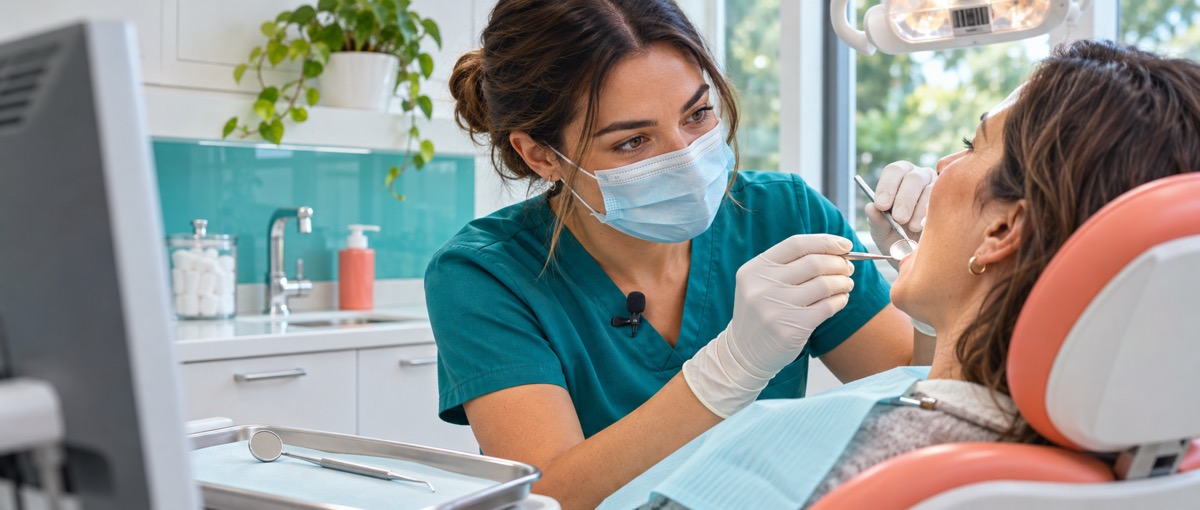
A periodontal examination often involves two people: one clinician measures and calls out the findings while another enters them into a chart. Denti.AI Voice Perio takes over the second part. The examiner speaks the measurements and tooth positions, and the software places them in the periodontal record without waiting for someone else to type. Voice Perio product page
According to Denti.AI, Life Dental Group first piloted Voice Perio in two practices and later expanded the product across all 16 practices in the group. Life Dental Group adoption update
The useful lesson is not that AI has learned another branch of medicine. It is how a recording tool moved from two practices into an entire dental group.
Understanding a number is not enough; it must land in the right place
Periodontal charting is not ordinary speech-to-text. Each measurement must be attached to a particular tooth and position, and observations such as bleeding also need to be recorded. A transcript alone would still leave the clinician with another round of data entry.
Denti.AI’s operating guide breaks the workflow into explicit steps. The user manually selects the correct patient before recording. The clinician then speaks groups of measurements, and the system advances through the chart. Voice commands can jump to a specified tooth, undo a mistake, repeat the same values, pause the session, and save the completed chart. Basic Voice Perio guide
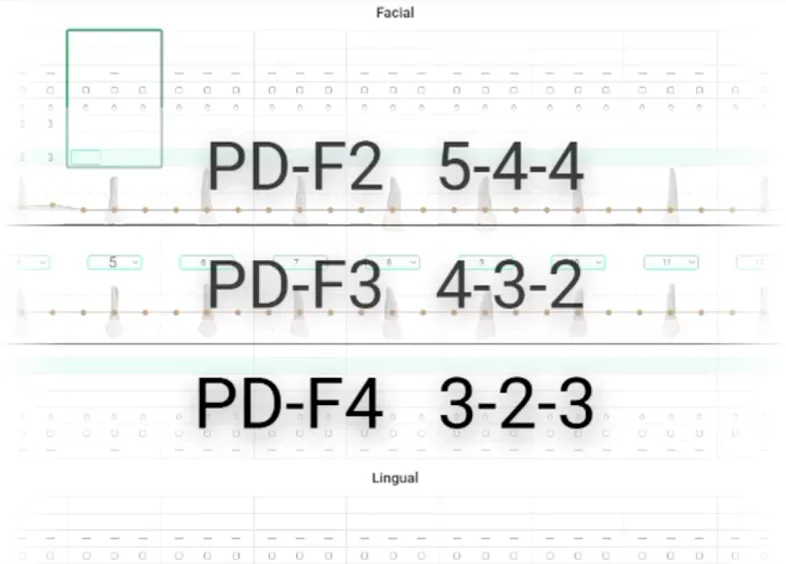
The official demonstration maps spoken measurements to tooth positions. All product interfaces in this article come from Denti.AI’s public materials, not from Life Dental Group’s account.
Those small controls determine whether the product can remain useful in an examination room. If one recognition error forces the clinician to stop the examination, switch to a keyboard, and find the correct field, the software can reintroduce the work it was supposed to remove. Denti.AI’s guide also warns that background noise or a patient speaking at the same time can interfere with recognition. Basic Voice Perio guide
The product therefore does not replace the clinical measurement itself. A person still selects the patient, performs the examination, and decides whether the chart is correct. Voice Perio automates the structured recording step around that work.
Installation is not the end of a pilot
Life Dental began its pilot in September 2025. The first two practices used Voice Perio for five months. In February 2026, the group decided to extend it across the network and added 14 more practices over the following six weeks. The first period provided time to observe routine use; the second tested whether the same workflow could be repeated elsewhere. Life Dental Group adoption update
For a multi-site buyer, deployment creates another question: after the software has been installed, are clinical teams actually using it?
The group dashboard shown by Denti.AI lets managers review voice-charting activity by organization, provider, and date. Usage is different from the number of accounts that have merely been enabled. A group can use this operating data to find locations where the workflow has become routine and those where adoption may need more attention. Voice Perio product page
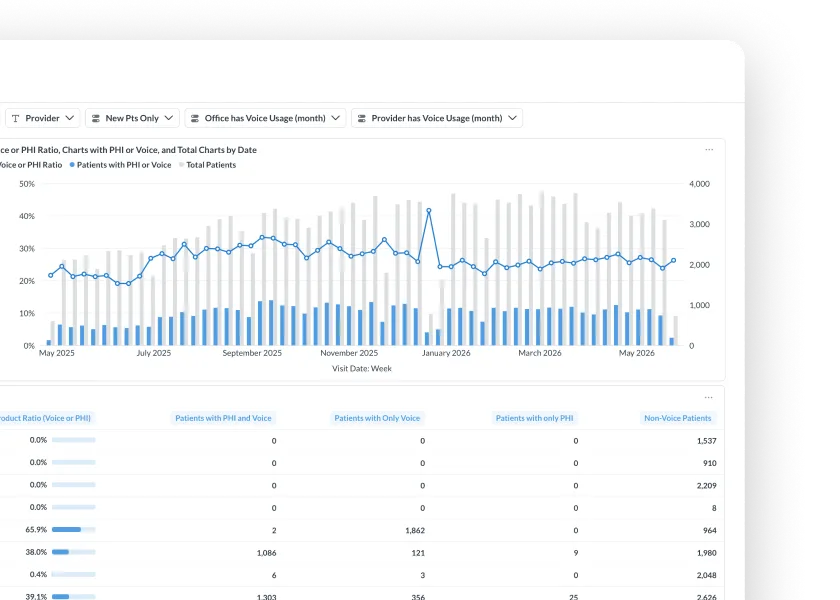
This official dashboard shows voice-charting trends and provider-level detail. It is not a screenshot of Life Dental Group’s pilot results.
The chart must also return to the dental practice’s existing system. Denti.AI publishes separate save instructions for different practice-management systems. Where direct write-back is supported, the data is saved into the patient’s existing record. In standalone mode, the user may still need to copy and paste the result. A buyer therefore needs to verify the exact integration available for each practice rather than assume that every installation behaves the same way. Practice-management system guides; integration explanation
For a clinician, the distinction is simple. At the end of an examination, the record is either already where it belongs or it has become another piece of material that still needs to be transferred.
The 2-to-16 expansion shows that one group chose to repeat the workflow. It does not disclose how much Life Dental paid, prove a clinical outcome, or establish that every dental organization will adopt the product at the same pace.
Pricing follows the practice, not each user
Denti.AI’s current public plans bundle voice periodontal charting with clinical notes and other capabilities rather than selling only a dictation button.
| Current plan | Monthly | Annual | Usage boundary |
|---|---|---|---|
| OneStop Clinical | $399 | $3,990 | One location, up to seven installs, unlimited users |
| OneStop Clinical+ | $599 | $5,990 | One location, unlimited installs and users |
These are current list prices, not Life Dental Group’s negotiated terms. Multi-location customers must request a quote, and some functions depend on the practice-management system already in use. Denti.AI pricing
The billing unit fits the way a practice operates. Several clinicians may rotate through the same location, so the subscription does not increase one seat at a time. The lower plan still limits the number of installations, however. “Unlimited users” does not mean that every deployment constraint has disappeared.
The information is not limited to a professional chart. Denti.AI can also produce a downloadable oral-health summary that organizes the tooth map, bleeding observations, and other findings into material a patient can take away. Voice Perio report demonstration
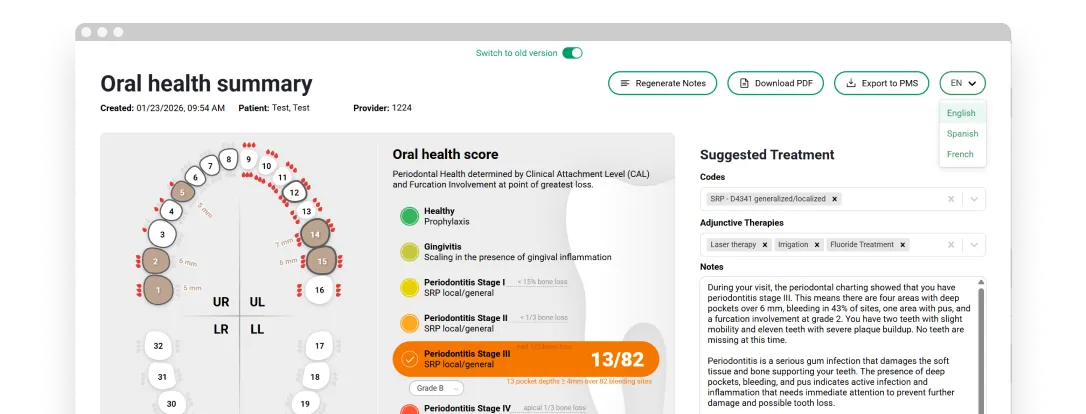
The official example includes a tooth map, explanatory text, and download and export controls. Treatment suggestions shown in the interface are not medical advice from this article.
From a clinician speaking measurements to a patient receiving a report, the added software needs to remove a wait or a second round of entry. That is what gives the same workflow a reason to appear in the next practice.
Open the original link at the end of the article to view Denti.AI Voice Perio.