

Restoring a stream begins with measurements: engineers need to know the size of rocks, the location of fallen timber, and the shape of the banks. Photographs preserve the appearance of a site, but they do not always preserve dimensions that remain useful after the team returns to the office.
At Jacobs, engineer Ben Dupuy and his team began using LiDAR-equipped iPhones and iPads with Polycam to preserve sites as measurable 3D records. According to Polycam’s customer case study, field data collection fell from three to eight hours to about 30 minutes. A typical project saved between $16,000 and $27,000, averaging $21,500. Those savings cover collection, repeat visits, and some specialist equipment; the software did not replace every part of an engineer’s survey. Polycam’s Jacobs case study
The business is not simply about making an attractive model with a phone. Polycam has to move the scan beyond the device and into drawings, reports, and the team’s normal work.
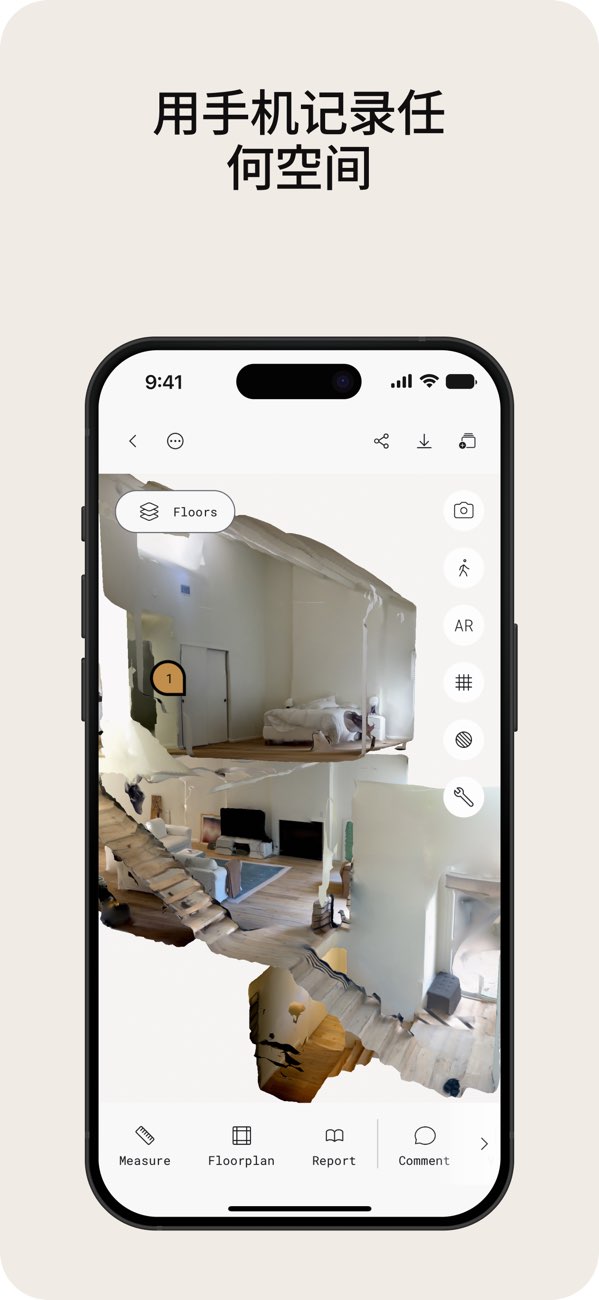
The site is captured on a phone but remains available as a spatial record on screen. Image source: Polycam’s China App Store listing.
After the scan, the team can avoid another site visit
Jacobs’ use case shows why mobile capture matters. A stream may include water, vegetation, and difficult-to-reach areas. Walking through it with a mobile device and preserving the space is different from returning to the office with only a folder of photographs.
In the case study, Dupuy compared captured results with data from conventional survey equipment. The team could also send 3D scans, point clouds, and related material into later analysis tools. A new question did not always require another trip to find one missing dimension. Polycam’s Jacobs case study
Indoor capture makes the workflow easier to picture. A user walks through a room with a compatible device. Polycam recognizes walls, doors, windows, furniture, and other features, generates a floor plan, and lets the user verify and edit dimensions on site. The product page describes the sequence clearly: capture, AI generation, review and editing, then sharing and export. Important dimensions still need verification, and LiDAR mode requires a device equipped with the sensor. Polycam floor-plan workflow Polycam China App Store listing
The problem is not whether a phone can take a picture. It is whether the user can leave the site with material that another person can still use.
Seeing a model for free is not the same as receiving a deliverable
Polycam does not place every scan behind a paywall. The company says a free user can scan a room and generate a floor plan on an iPhone. Professional DXF, PDF, PNG, SVG, and CSV floor-plan exports, however, belong to the Business plan. The free tier still includes GLTF model export, so not every format is restricted. Polycam’s guide to iPhone floor plans Polycam pricing
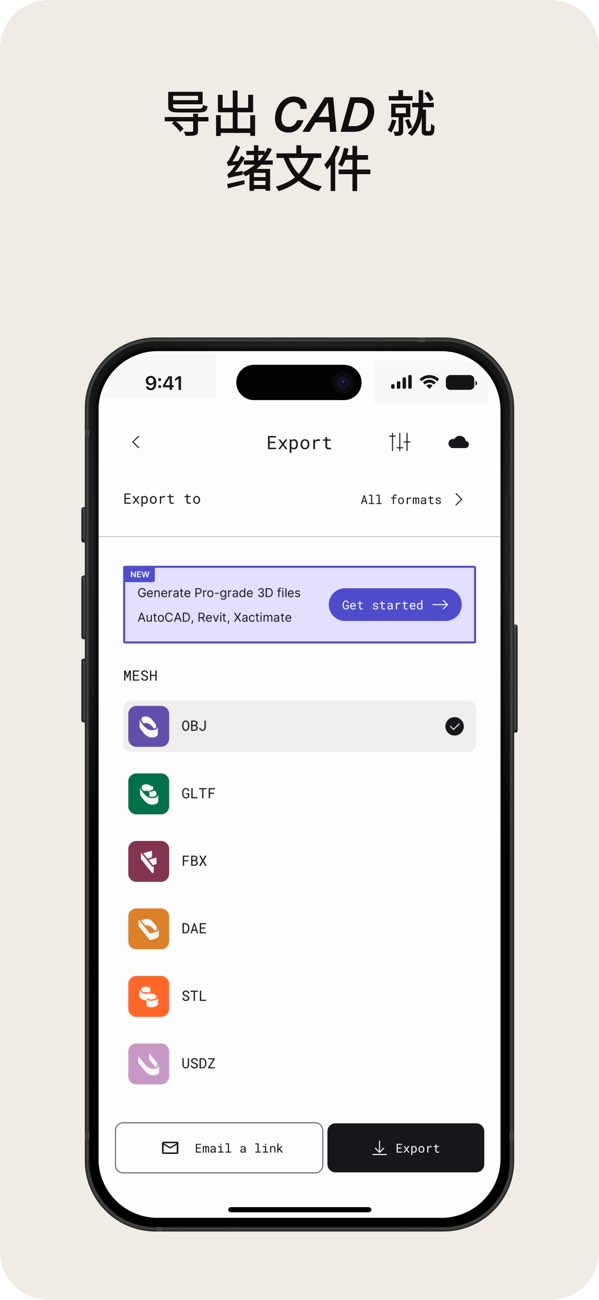
An export becomes valuable when it connects the capture to downstream design software. Image source: Polycam’s China App Store listing.
That boundary is closer to a professional user’s buying moment than a simple limit on daily scans. Viewing a room model is an experience. Handing the result to a designer and continuing work in existing software makes file format, dimensions, and editability urgent.
Polycam’s Vision 25 release in February 2025 turned that direction into a broader product. Space Mode combined LiDAR and room modes in a single capture. Spatial Report automatically created a professional report with measurements and was limited to Business and Enterprise plans. Polycam Vision 25
An official 32-page sample is more than a collection of 3D screenshots. It contains a whole-home overview, floor plans for individual rooms, areas and dimensions, and a furniture inventory. The living-room page shown below puts room area, wall area, perimeter, ceiling height, and furniture dimensions into one deliverable. Polycam’s official Spatial Report sample
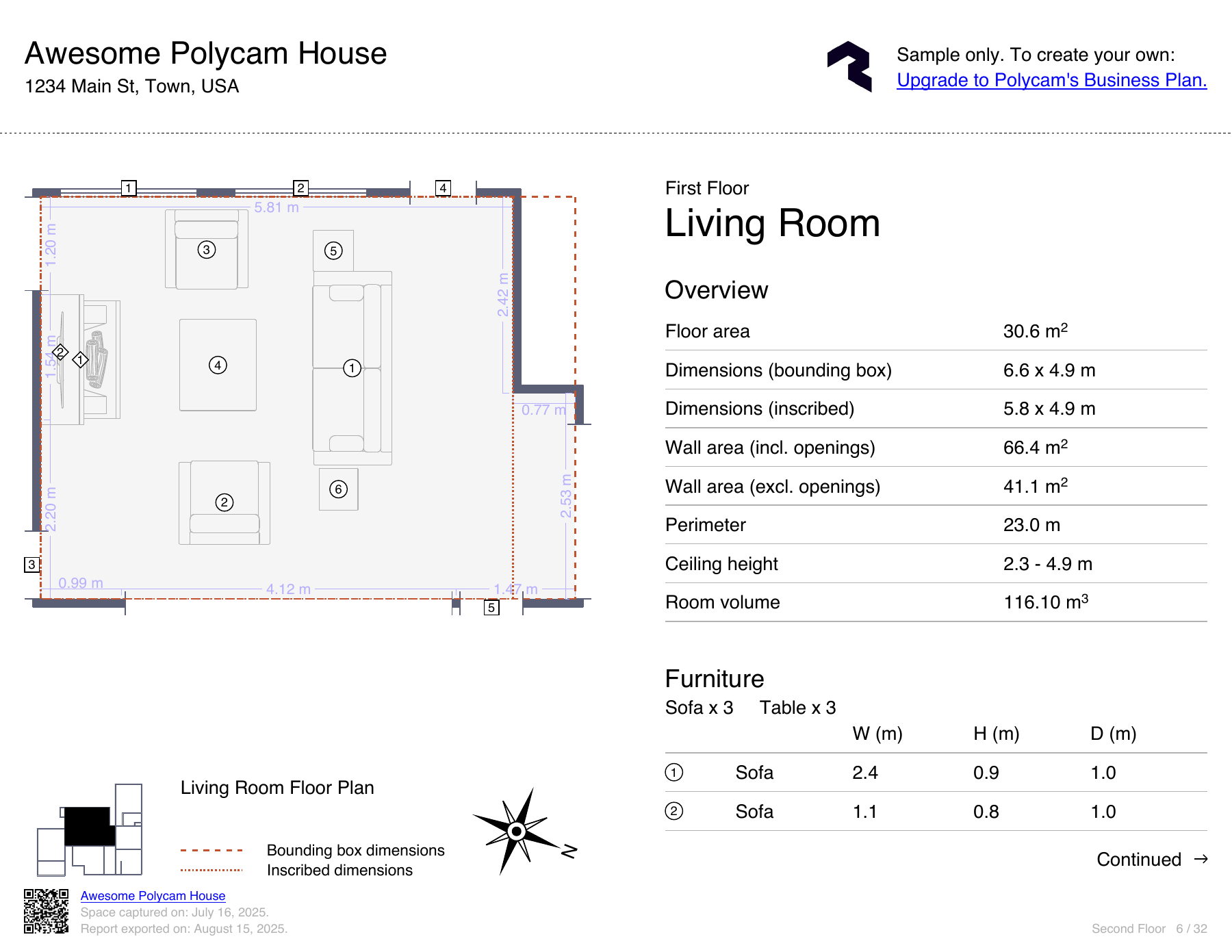
Page six of Polycam’s official residential report sample. It is not material from the Jacobs project.
The purchase is therefore not only for recognition. It removes a round of organization: measurements that once had to be located in photographs, copied from sketches, and rewritten into a report begin to share one output format.
Moving from a personal app to team management
Polycam’s China App Store listing shows a Basic annual subscription for RMB 998, a Pro annual subscription for RMB 1,298, and a Pro monthly subscription for RMB 198. Team buyers see another set of plans on the company’s website: Business at $400 per user per year and Enterprise at $1,200 per user per year, with a minimum of three users. The names and benefits of the App Store purchases do not map directly to the website plans. Polycam China App Store listing Polycam pricing
| Work the team needs to complete | Capability in the website plans |
|---|---|
| Hand captured results to colleagues and design software | Business provides professional floor-plan exports, point-cloud exports, and a shared team library |
| Manage multiple projects consistently | Enterprise adds a content-management API, role-based folders, and administrative controls |
For an enterprise, the question is no longer only whether the scan is clear enough. Ownership of project material, permission to upload or edit, and the route from captured data into internal systems can all determine whether deployment expands. Polycam places those capabilities in the higher enterprise tier rather than presenting it as merely another unlimited-scanning plan. Polycam Enterprise plan